Read your customers’ voice messages instead of listening one by one
Every voice message a customer sends arrives in the inbox with the text right under the player. Your team reads it in seconds, the AI Agent understands what was said and your integration gets the transcript through the API.
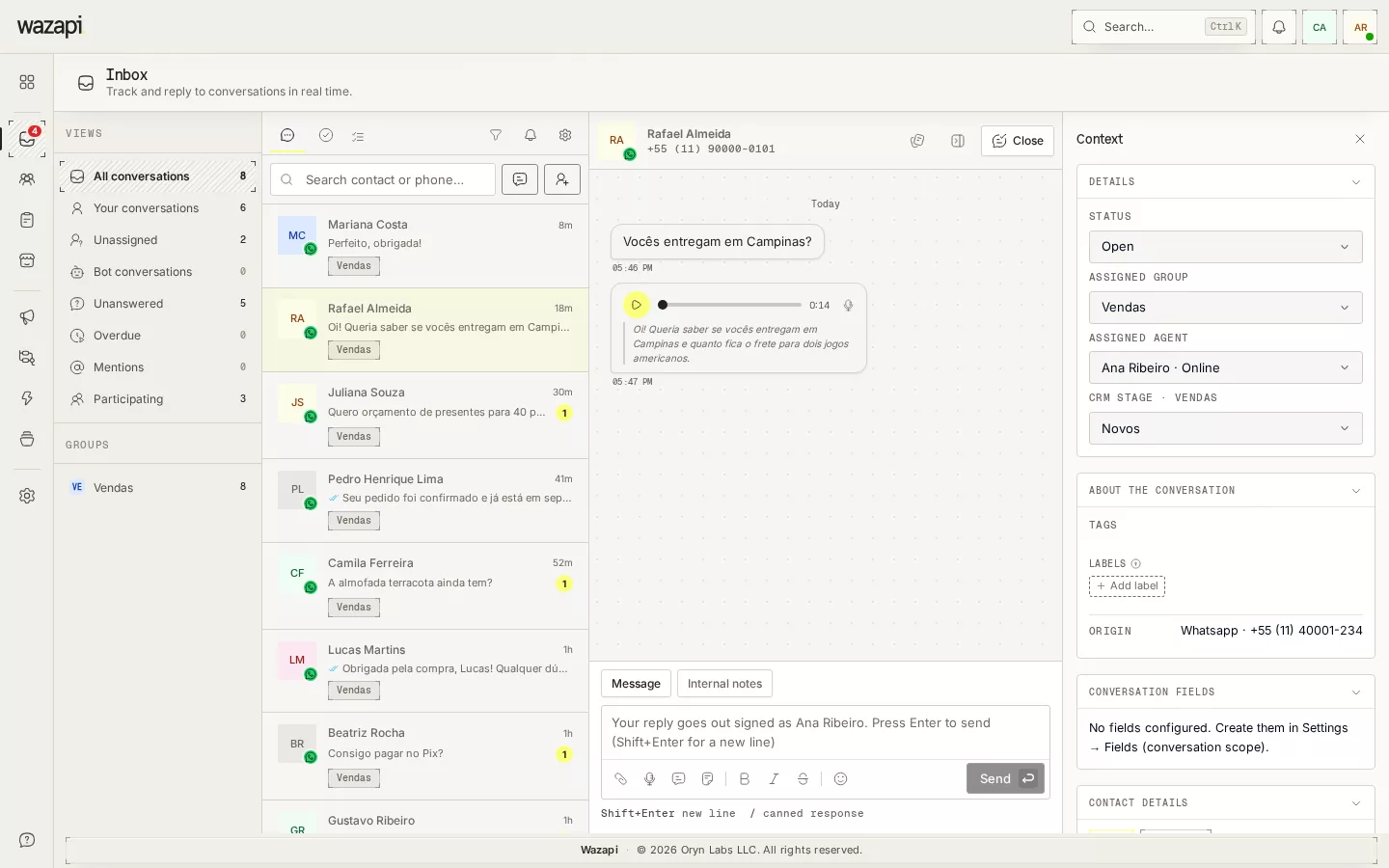
A two-minute voice message in the middle of the day
On WhatsApp, many people would rather talk than type. For your team, every voice message is a pause: headphones on, listen to the end, go back for a detail, and the queue stalls meanwhile.
With transcription, the audio arrives with the text underneath. You can read it, find the key point and reply without pressing play.
How to turn it on
Connect your OpenAI key
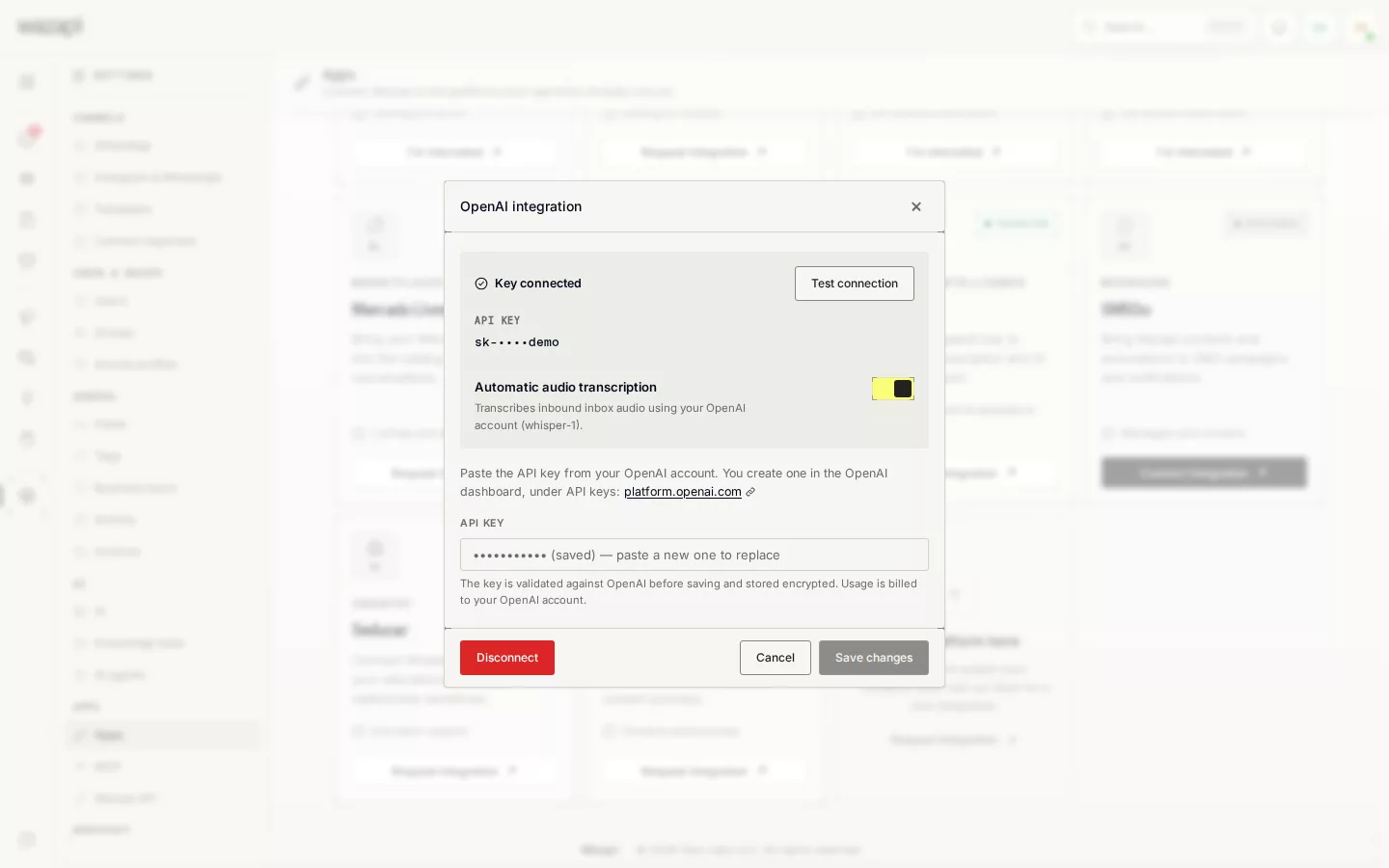
In Settings → Apps, open the OpenAI integration and paste your account key. Usage is billed straight to your OpenAI account.
Check automatic transcription
In the same window, Automatic audio transcription is already on once the key is connected. Turn it off whenever you want.
Read it in the inbox
From then on, incoming voice messages are transcribed in the background, and the text shows under the player and in the conversation list preview.
What transcription does
Text under the audio
The transcript appears right below the player, and the conversation list and notifications show the text instead of “[audio]”.
Language detected automatically
Transcription uses OpenAI’s whisper-1 model, which identifies the language of the audio without any setup.
The AI Agent understands voice
When the AI Agent is handling the conversation, it waits for the transcript and answers what the customer said, just like a text message.
Through the API too
Your integration receives the message.transcribed webhook event, and every audio message read through the API carries a transcript field.
Never holds up the conversation
Transcription runs in the background and retries when OpenAI is slow or unavailable. The audio arrives right away, and the text follows shortly after.
What it looks like in Wazapi
Who it is for
- Teams that get lots of voice messages and lose time listening one by one.
- Agents working where they cannot play audio, such as a shop floor or an open office.
- Companies using the AI Agent that want it to understand customers who prefer to talk.
Frequently asked questions
How much does it cost?
Transcription uses your own OpenAI key, and usage is billed to your account there. Wazapi does not charge separately for transcription.
Are voice messages recorded by my team transcribed too?
No. Only voice messages sent by customers are transcribed.
Does a voice message trigger a flow keyword?
No. Keywords look at the message text when it arrives. A transcribed voice message is understood by the AI Agent, but it does not trigger keywords.
Does it work in any language?
The model identifies the language on its own and transcribes in the language spoken. You do not need to pick a language beforehand.
Want to see it working for your business?
Free 14-day trial, no credit card required.