One inbox for your whole team to handle WhatsApp
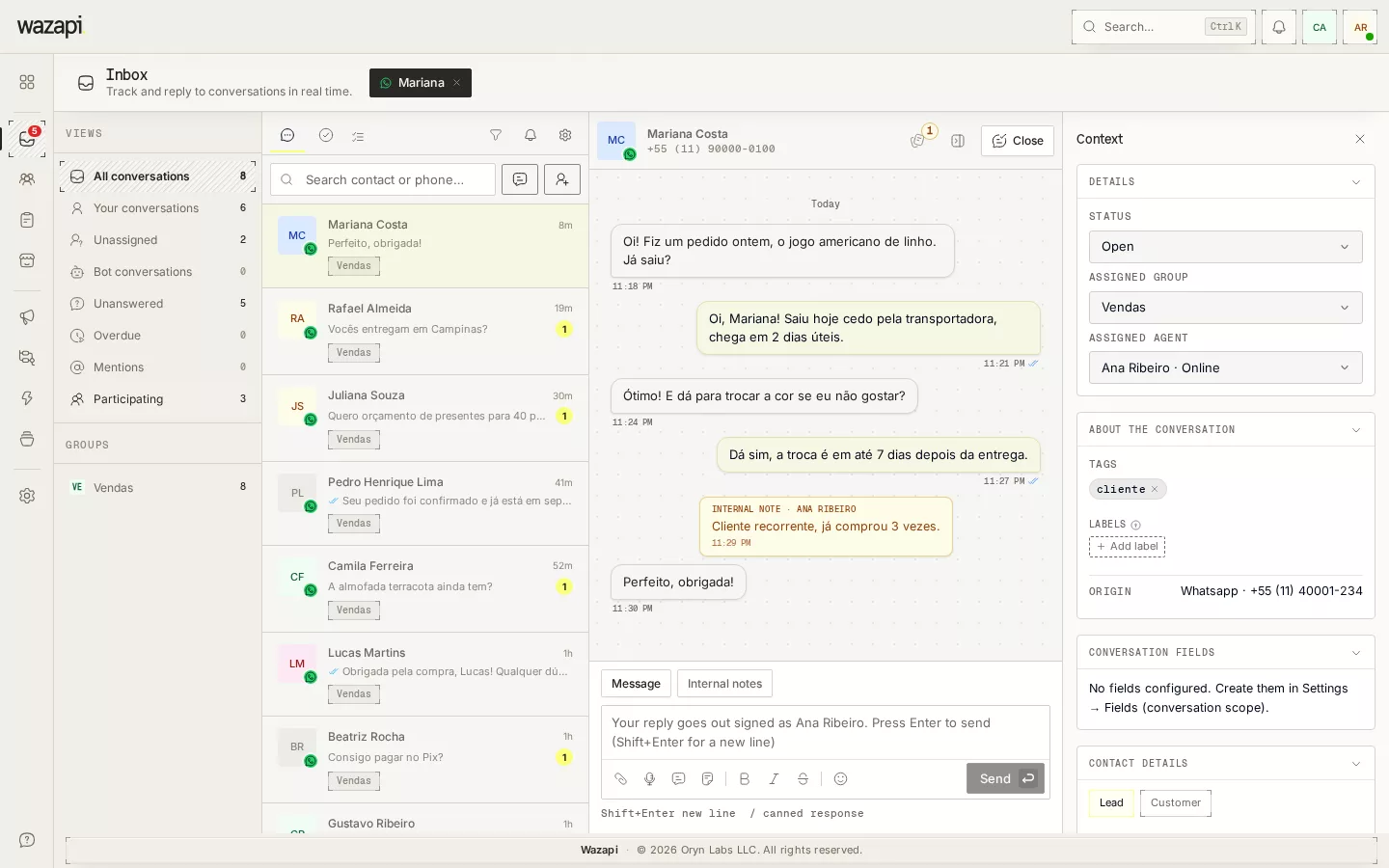
Every WhatsApp, Instagram and Messenger conversation in one place, each assigned to someone, distributed among whoever is available, with the history in front of whoever picks it up.
One phone cannot serve a team
When customer service grows, WhatsApp on a single phone becomes an invisible queue: nobody knows who replied, conversations get lost at shift change and customers repeat their story to every person.
The Wazapi inbox puts the company number on everyone’s screen, with an owner for each conversation, views that show what is stuck and the bot working before your team.
How your team works in the inbox
Connect your channels
Connect your WhatsApp number through the official API and, if you want, Instagram and Messenger. Conversations from every channel land in the same list.
Set up groups
Create groups such as Sales and Support and choose who belongs to each. A conversation can go to a group and be distributed among its agents.
Let the bot triage
A flow answers first, asks the opening questions and hands off to the right group. While an agent is in the conversation, the bot stays out.
Reply and close
Reply with text, audio, attachments, canned responses, or an approved template once the 24-hour window has closed. Closing takes the conversation out of the queue and stops the bot.
What the inbox does
Views that show what is stuck
Your conversations, Unassigned, Bot conversations, Unanswered, Overdue, Mentions and Participating, plus filters by channel, number, group and 24h window.
Automatic distribution
Distribute a group’s conversations to whoever has the fewest open, in rotation or at random, with a cap per agent. Agents who are away are skipped.
Internal notes and mentions
Write notes the customer never sees and tag a teammate with @ to get help without leaving the conversation.
Canned responses
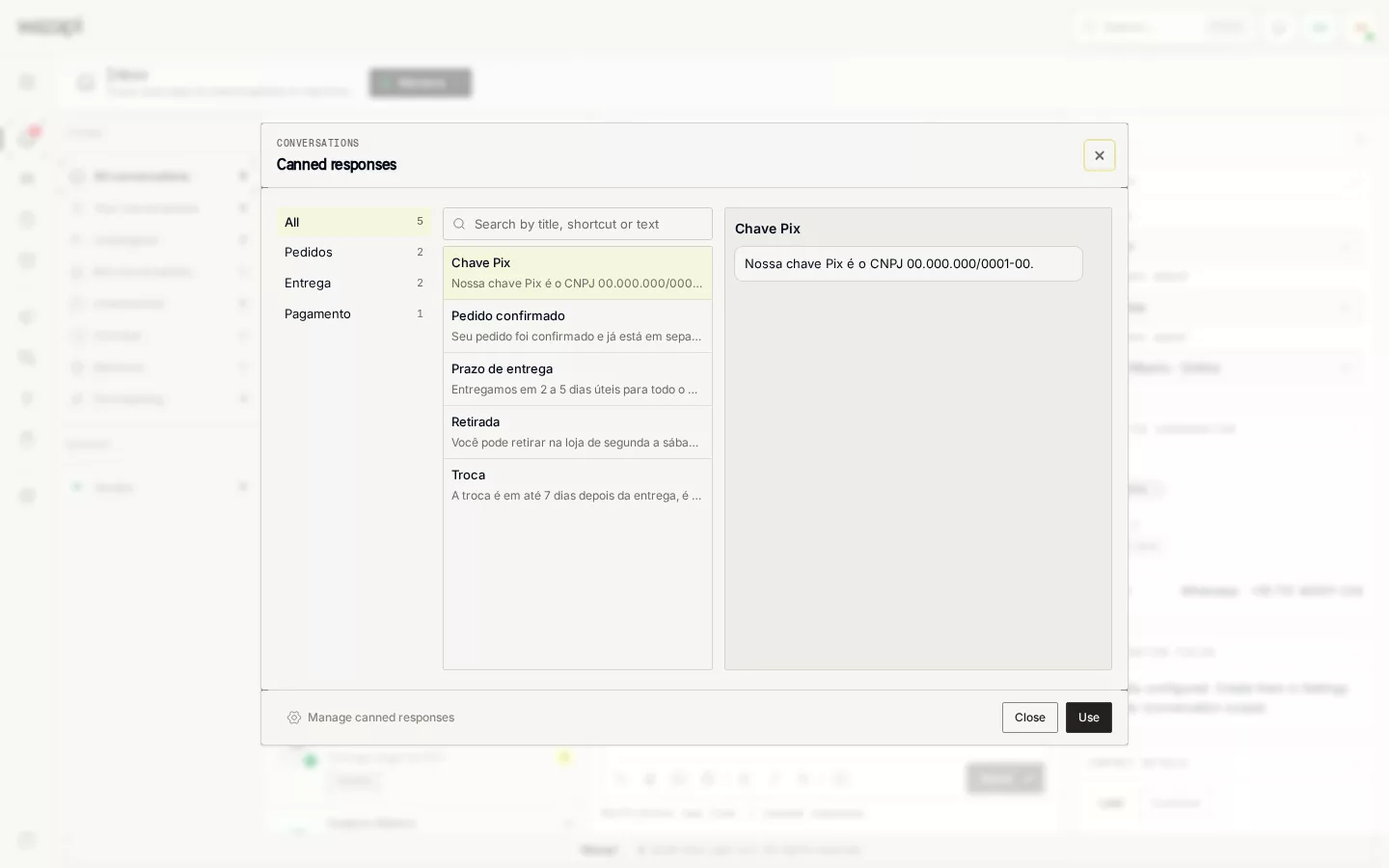
Type / in the reply box to search saved answers, organized in folders, with text, files and even audio sent as a voice note.
Real time
New messages, assignments and closures show up on everyone’s screen in about a second, with sound and browser notifications.
Bulk actions
Select up to 100 conversations to change status, agent or group, or block contacts at once, with a confirmation before it applies.
What it looks like in Wazapi
Who it is for
- Companies with more than one person answering the same WhatsApp number.
- Sales and support teams that need to know who is handling each customer.
- Operations that want a bot up front and the team only on conversations that need a person.
Frequently asked questions
How many people can answer on the same number?
The number of users depends on your plan. Everyone answers the same number at the same time, each on the conversations assigned to them or their group.
Does the inbox work with Instagram and Messenger?
Yes. WhatsApp, Instagram and Messenger show up in the same list. Templates and voice notes are WhatsApp-only; on the other channels audio goes as a file.
Can I edit or delete a message I already sent?
No. The official API does not let businesses edit or delete messages. When the customer edits or deletes one, the inbox shows the change.
Does search find text inside messages?
Search finds contacts by name, phone or external ID. It does not look inside conversation text.
What happens after 24 hours without a reply from the customer?
WhatsApp’s service window closes and the reply box asks for a Meta-approved template, which you send right from the inbox.
Want to see it working for your business?
Free 14-day trial, no credit card required.