An AI agent that answers on WhatsApp and knows when to call your team
Create agents with your company’s voice, teach them with your own content and let them talk to customers on WhatsApp, Instagram and Messenger. When a conversation needs a person, the agent hands it over to your team.
Answering fast all day is expensive
Most conversations repeat the same questions: price, delivery, opening hours, how it works. A button flow handles the predictable path, but stalls when customers write in their own words.
The AI agent understands free text and images, looks up the knowledge base you built and replies right away. Your team keeps what needs people: negotiation, exceptions and complaints.
How to put an agent live
Create the agent
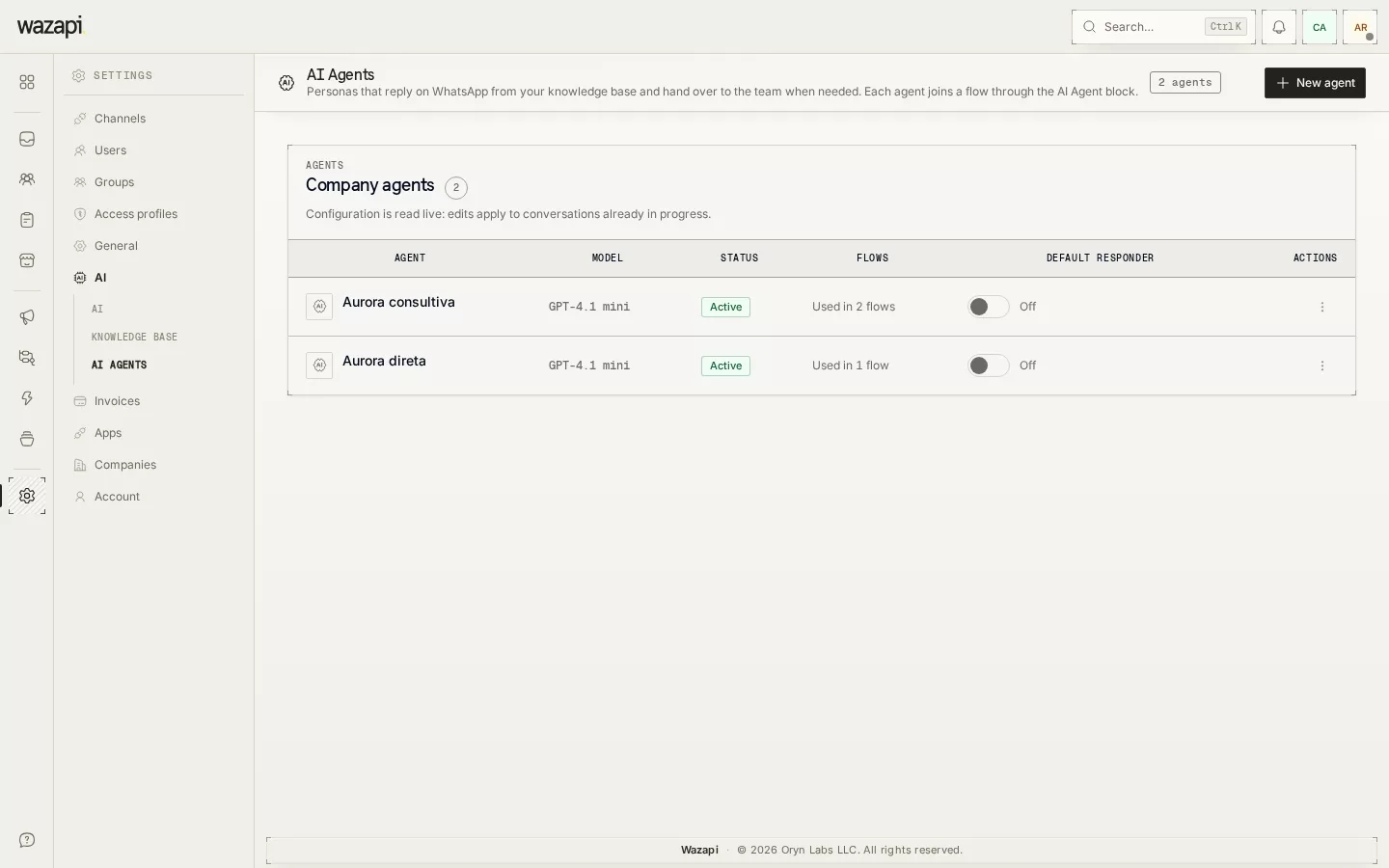
In Settings → AI → Agents, set the name, tone, instructions and who to hand over to when a person is needed. The playground next to it shows how it answers before it reaches customers.
Teach it your content
In the knowledge base, add texts, FAQs, files, pages from your website or your Store catalog. The agent searches there before answering.
Put it to work
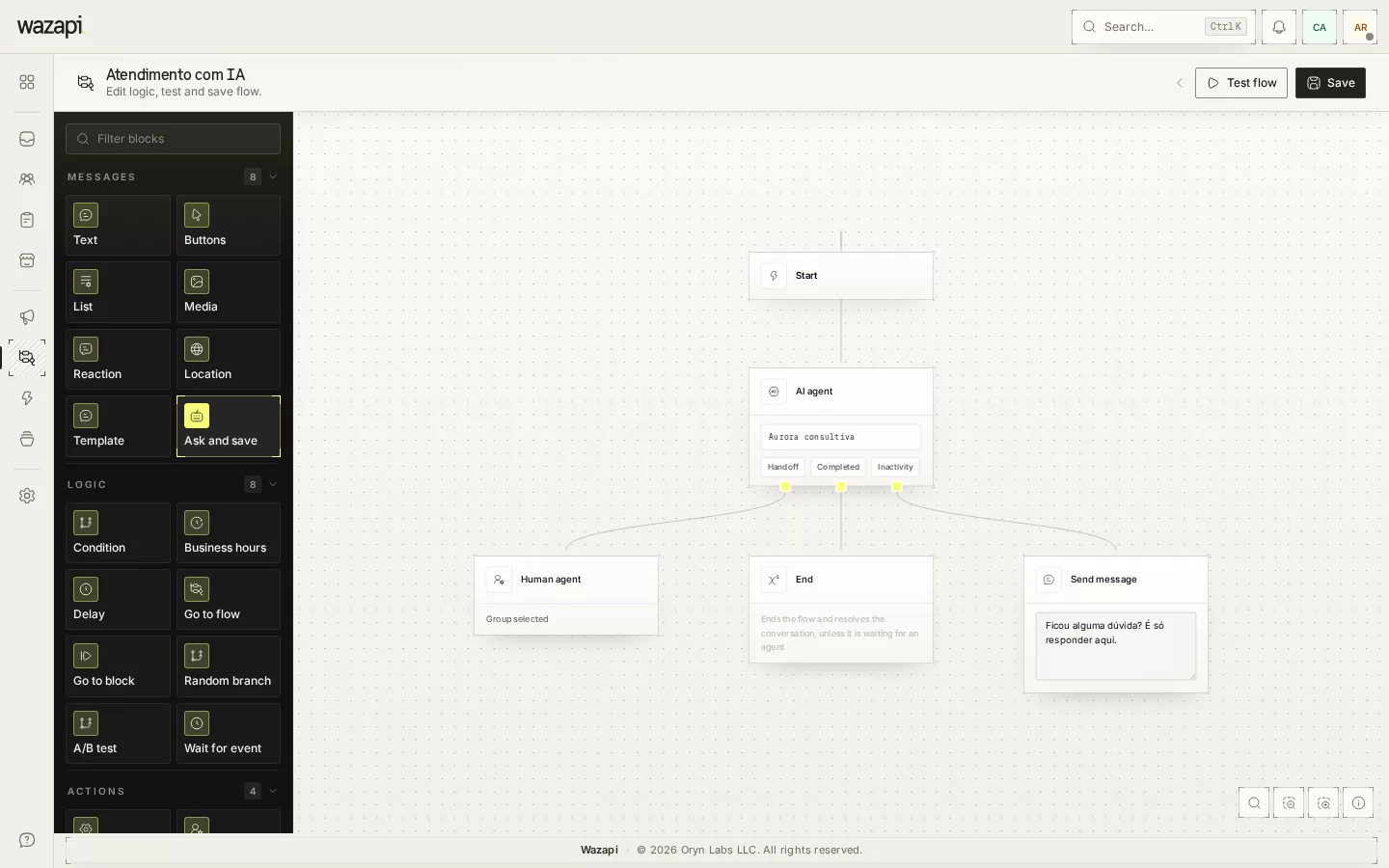
Turn the agent on as the default reply with one click, or use the AI Agent block inside a flow so it only handles one step of the conversation.
Track and adjust
Metrics show how many conversations the agent completed, how many it handed to your team and why, and what it cost. To compare two versions, use the A/B Test.
What the agent does
Answers from your content
Searches the knowledge base (texts, FAQs, files, links and Store products) and answers with that information instead of making things up.
Takes action
Applies tags, fills contact fields and moves the CRM opportunity, always within the lists you allowed for that agent.
Hands over at the right time
When the customer asks for a person or the topic goes beyond what it knows, the agent transfers to the chosen group. If an agent replies from the inbox, the AI stops right away.
Understands images
A product photo, a receipt or an error screenshot become part of the conversation, and the agent considers the latest images when answering.
Cost under control
Set a monthly GPT budget: when it runs out, the agent can stop and hand conversations to your team, or just email the owner.
Metrics per agent
Turns, cost, conversations completed, handed to a person and left unanswered, with handover reasons, day by day.
What it looks like in Wazapi
Who it is for
- Businesses that get many repeated questions and want to answer right away, at any hour.
- Stores that want to answer product questions and lead the customer to the order.
- Teams that prefer the AI to triage and pass to a person only what needs one.
Frequently asked questions
Do I need an OpenAI account?
Yes. The agent uses your own OpenAI key, added in the AI settings. Model usage is billed by OpenAI directly to your account, and you can track the spend in the agent’s metrics.
Can the agent say something wrong?
It can, like any AI. That is why it answers from the knowledge base you built, only acts within the lists you allowed and has handover rules for your team. Test it in the playground before putting it in front of customers.
What happens when an agent from my team joins?
If someone replies from the inbox, takes over the conversation or turns the AI off for it, the agent stops right away. Internal notes do not interrupt it.
Does it work beyond WhatsApp?
Yes. The agent answers on the WhatsApp, Instagram and Messenger channels connected to your company.
Can I have more than one agent?
Yes. Each agent has its own instructions, knowledge base and rules. You can use different agents in different flows, or compare two with the A/B Test.
Want to see it working for your business?
Free 14-day trial, no credit card required.