A store that sells through the WhatsApp conversation
Build the storefront, share the link in your bio and get each order straight into the WhatsApp conversation, with the customer already identified. Stock, order status and revenue live in the same place as your customer service.
Selling on WhatsApp doesn’t have to run on screenshots
A PDF catalog, prices asked one by one, orders written down by hand and stock nobody is sure about. Every sale depends on someone copying information from one place to another.
With the Store, customers pick products in a storefront, the order is recorded with items and total, and the conversation opens in your inbox with the order already in the history.
How to start selling
Add your products
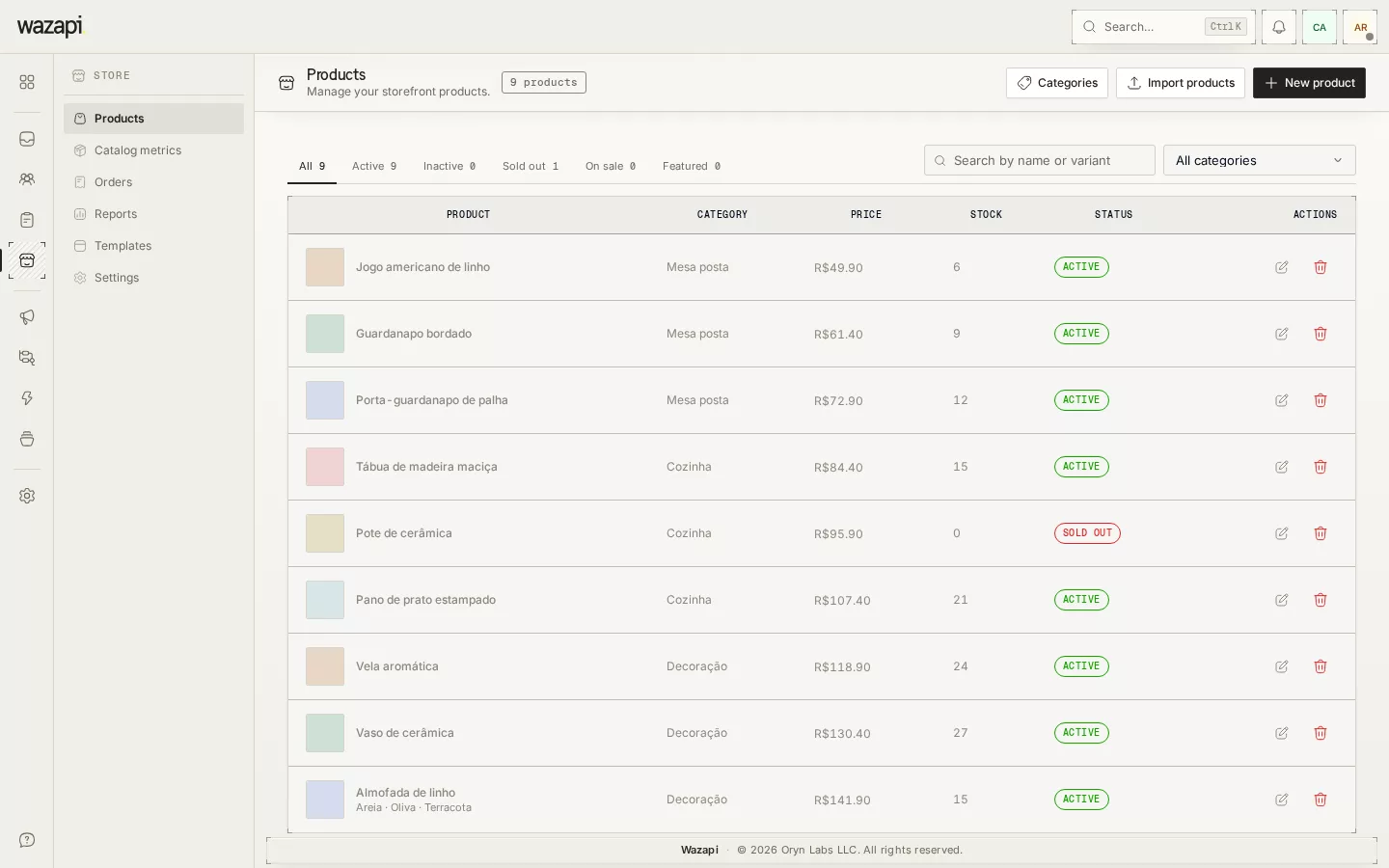
Add products with photos, variants (size, color), categories and stock. If you sell on Shopify, you can import the catalog from a spreadsheet.
Publish the storefront
Pick the look, check the preview and publish. The store gets its own address to put in your bio and messages.
Receive and track orders
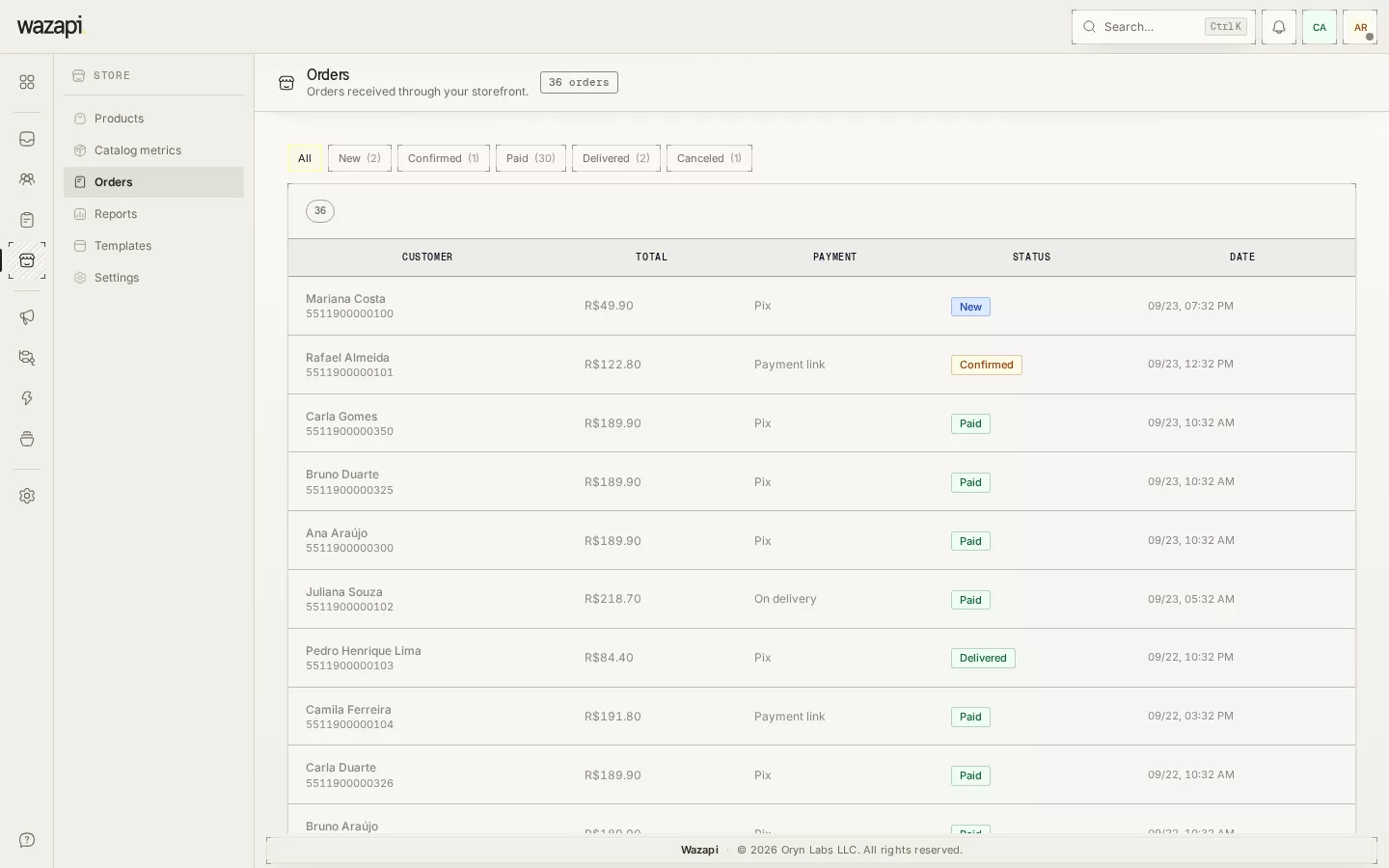
Customers check out through WhatsApp. The order shows up in the panel and in the conversation, and you move the status forward until delivery.
What the Store solves
The order inside the conversation
Each order opens or reuses the conversation with the customer and shows up as a card in the history. Whoever answers sees what was bought without leaving the inbox.
Stock that updates itself
An order takes stock right away and a cancellation puts it back. Out-of-stock products and variants show as sold out in the storefront.
Payment your way
Pix with your own key, a payment link or payment on delivery. Wazapi never handles the money: payment goes straight to you.
Automation per order
Turn on a flow that runs for every new order, such as confirming receipt or reminding about a pending Pix after a few hours.
Status and customer updates
New, confirmed, paid, delivered or cancelled. A status change can notify the customer on WhatsApp.
Sales reports
Revenue, orders and best-selling products by period. Revenue counts only paid or delivered orders.
What it looks like in Wazapi
Who it is for
- Small and mid-sized retailers already selling on WhatsApp who want to organize orders.
- Delivery and made-to-order businesses that need stock and status without spreadsheets.
- Shopify stores that want a conversational sales channel with the same catalog.
Frequently asked questions
Does Wazapi process payments?
No. Customers pay by Pix with your key, through your own payment link or on delivery. Wazapi records the order and its status; the money goes straight to you.
How does the customer complete the order?
They build the cart in the storefront and complete it through WhatsApp. The order is recorded with items and total, and the conversation with your company opens with the order in the history.
Can I import my products?
Yes. You can import your Shopify catalog from a spreadsheet, with photos and variants, or add products one by one.
Does the AI Agent know my products?
It can. When you add the Store catalog to the knowledge base, the agent looks up current prices and descriptions to answer.
Want to see it working for your business?
Free 14-day trial, no credit card required.