Connect your system to WhatsApp with a REST API and webhooks
Send messages and templates, create and look up contacts, trigger flows and manage your Store from your own system. Events come back through signed webhooks, with retries when your server does not answer.
WhatsApp outside your system means manual work
Order confirmations, payment reminders, new leads: when WhatsApp does not talk to your ERP, CRM or online store, someone copies and pastes data all day.
The Wazapi API uses the same number, the same contacts and the same flows as the dashboard. What your system sends shows up in the inbox, and what arrives on WhatsApp comes back to your system.
How to get started
Create an integration
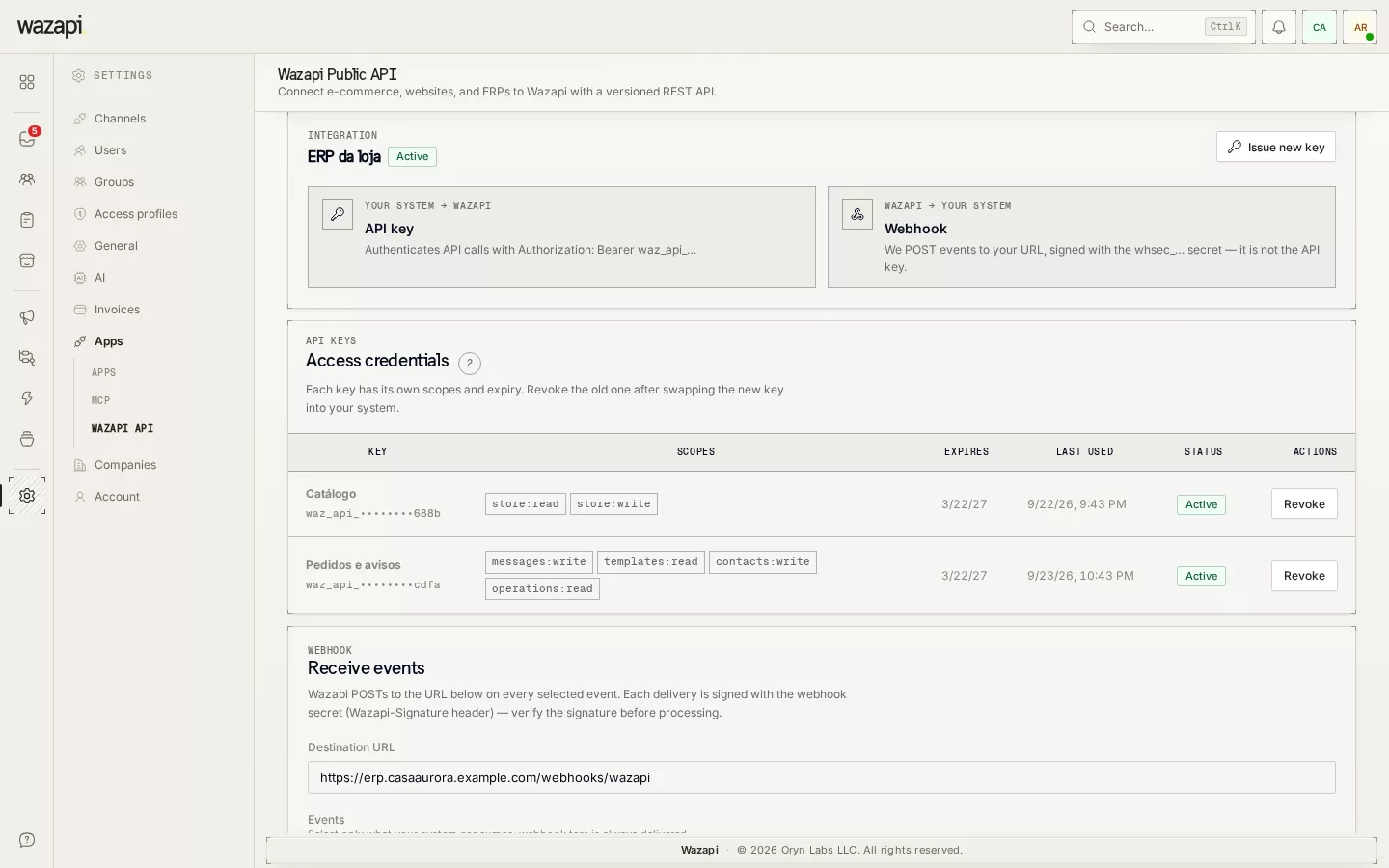
In Settings → API, create an integration and generate a token with only the scopes it needs, with an optional expiry.
Make your first call
Call the API with the token in the Authorization header. Sends answer right away with an operation, which you check later or follow through the webhook.
Register the webhook
Enter an HTTPS URL and pick the events: message received, delivery status, conversation created, flow execution, order created and more.
Follow the deliveries
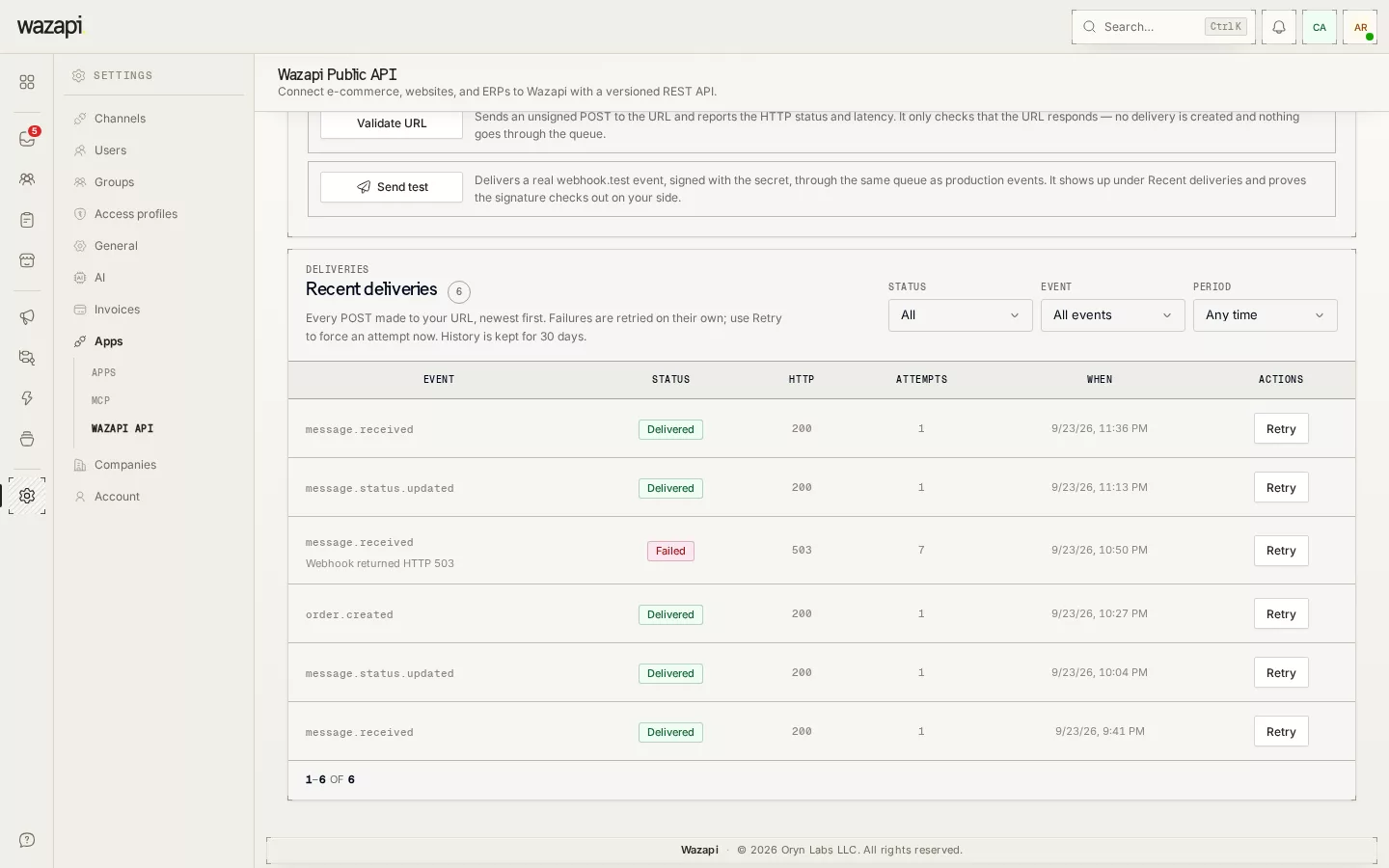
On the same page, see every webhook delivery and your server’s response, and resend what failed by hand.
What the API offers
Messages and templates
Send text and Meta-approved templates, with variables, media headers and buttons filled in on the call.
Contacts and conversations
Create, look up by email or phone, update and block contacts, with your own external ID. Read conversations and message history.
Flows and Store
Trigger a flow for a contact and follow the run. When your plan includes the Store, create products and categories, read orders and change their status.
Safe against duplicates
Sends and flow triggers carry an Idempotency-Key: if a call is repeated after a network failure, the message is not sent twice.
Signed webhooks
Every event arrives with an HMAC-SHA256 signature and a timestamp. Without a 2xx response, Wazapi makes six more attempts, spread over more than a day, before marking it failed.
Docs and SDK
Public OpenAPI spec, documentation at doc.wazapi.io and an official Node.js SDK (@wazapi/sdk).
What it looks like in Wazapi
Who it is for
- Tech teams that want to connect WhatsApp to their ERP, CRM or online store.
- Systems that send notices such as order confirmations, payment reminders or bookings.
- Agencies and integrators serving several clients with the same code.
Frequently asked questions
Can I send a free-form message to any contact?
Text messages only within the 24-hour window after the customer’s last message, a Meta rule. Outside it, use an approved template.
Does the API send on Instagram and Messenger?
No. API sends go over WhatsApp. Conversations from the other channels stay in the inbox.
Is there a rate limit?
Yes, per minute, and it depends on your plan. Every response carries the RateLimit headers, and over the limit the API answers 429 with Retry-After.
Can I edit or delete a sent message?
No. The official API does not allow it. The webhook tells you when the customer edits or deletes a message.
Are webhooks configured through the API?
No. Each integration’s webhook is registered and tested on the Settings → API page.
Want to see it working for your business?
Free 14-day trial, no credit card required.