Run your WhatsApp by talking to your AI assistant
The Wazapi MCP server lets Claude, Codex, Gemini CLI and other compatible assistants build flows, read conversations, send messages, move CRM opportunities and check the Store, with only the access you authorize.
Every task, a different screen
Building a new flow, checking which deals are stuck, finding a customer’s conversation, seeing today’s orders: each lives on its own screen, and a quick question becomes ten clicks.
With MCP, you ask the assistant you already use every day, and it runs the lookup or the change in Wazapi for you, within the permissions you granted.
How to connect
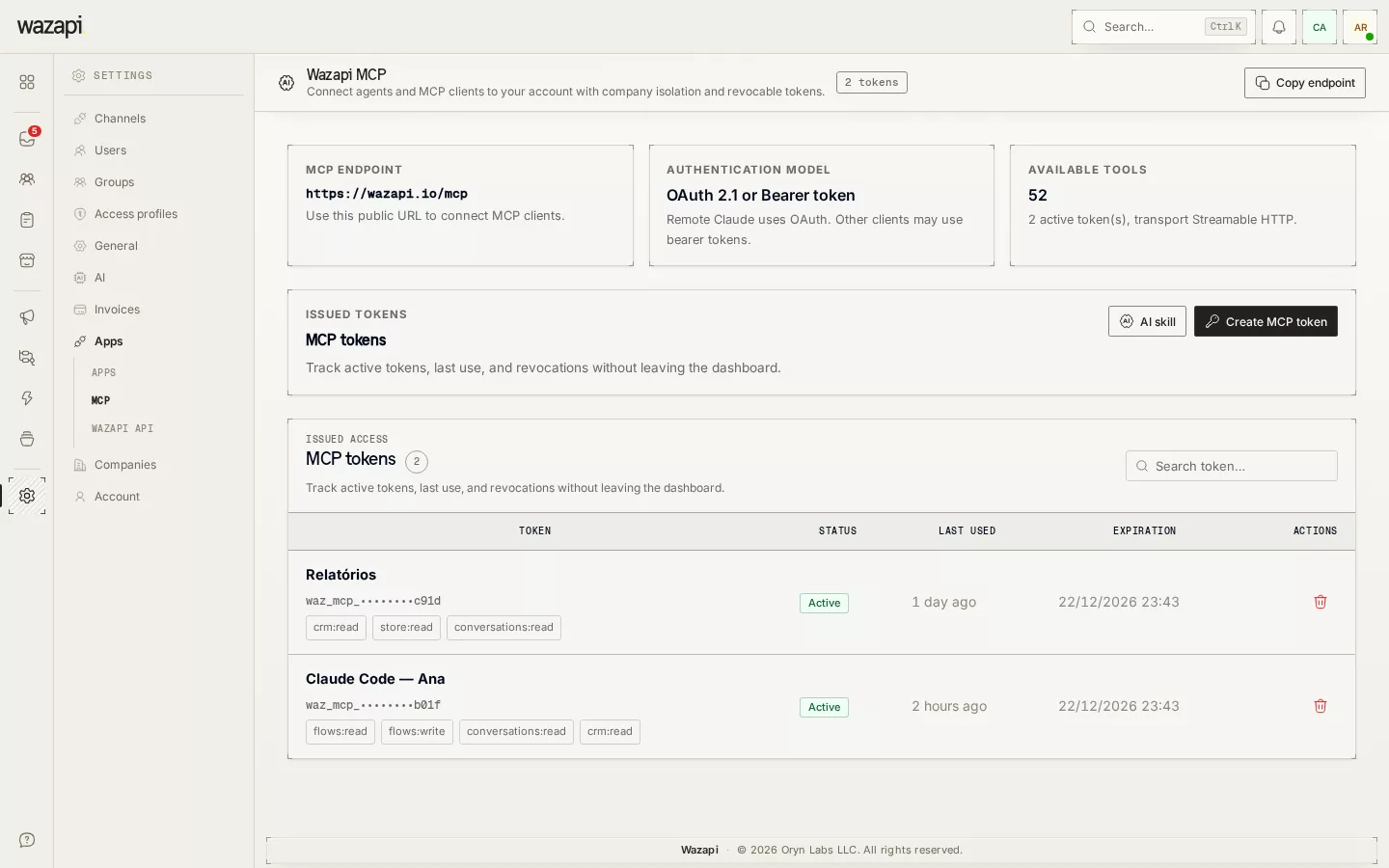
Open Settings → MCP
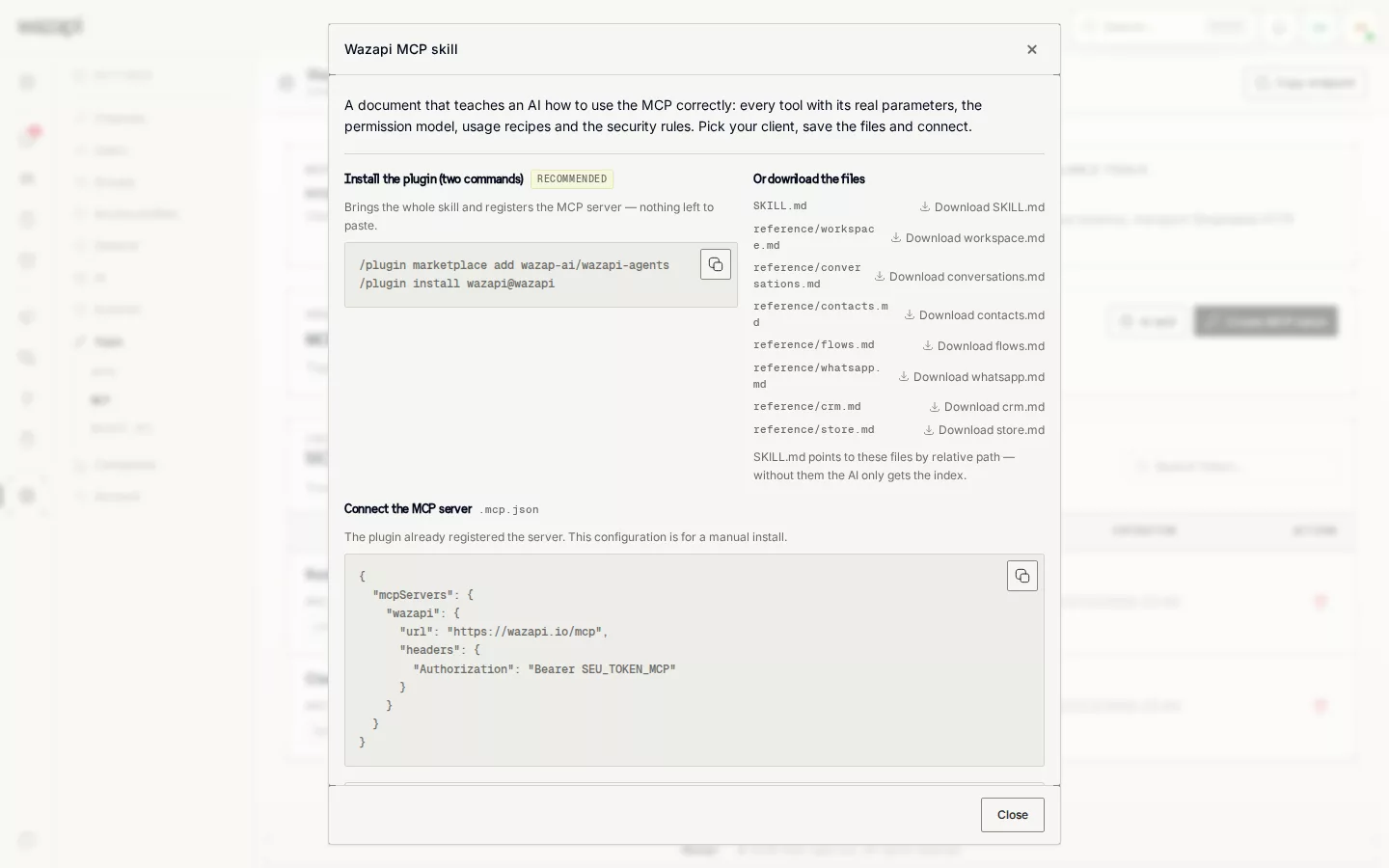
The page shows the server address and step-by-step setup for Claude Code, Claude Desktop, Codex, Gemini CLI and Kimi, with a ready instructions file for each.
Authorize access
Connect with your Wazapi login, ticking on the consent screen what the assistant may do, or create an access token with scopes and an expiry.
Ask in plain language
Ask, for example, “build a welcome flow with three buttons” or “list the open opportunities in the Sales pipeline”.
What the assistant can do
Flows
Look up block types, create a flow, edit its graph, validate, activate and run it for a contact.
Conversations and messages
List and read conversations, send text, a template or a product, assign to an agent and change the status.
Contacts
Search, create, update and block contacts, and look up tags, custom fields and groups.
CRM
See pipelines, metrics and opportunities, create an opportunity and move it between stages.
Store and templates
Look up and add products, see orders and change their status, list and create WhatsApp templates.
Access under control
Each access works only for your company and only for the authorized scopes. WhatsApp credentials require their own scope, outside the general permission.
What it looks like in Wazapi
Who it is for
- People who already use Claude, Codex or Gemini CLI at work and want to run WhatsApp from there.
- Managers who want quick answers about conversations, CRM and orders without building a report.
- Flow builders who would rather describe what they want than drag block after block.
Frequently asked questions
What is MCP?
MCP (Model Context Protocol) is an open standard for AI assistants to use external tools. Wazapi offers an MCP server with tools for flows, conversations, contacts, CRM and Store.
Can the assistant do anything in my account?
No. It only uses the scopes you ticked when authorizing or creating the token, and only in the chosen company. You can revoke access at any time.
Which assistants work?
Any MCP-compatible client. The settings page has step-by-step setup for Claude Code, Claude Desktop, Codex, Gemini CLI and Kimi, plus a generic option.
Do I need the API to use MCP?
No. MCP has its own access, by login or token. The REST API remains available for connecting systems.
Want to see it working for your business?
Free 14-day trial, no credit card required.