A CRM that grows out of your WhatsApp conversations
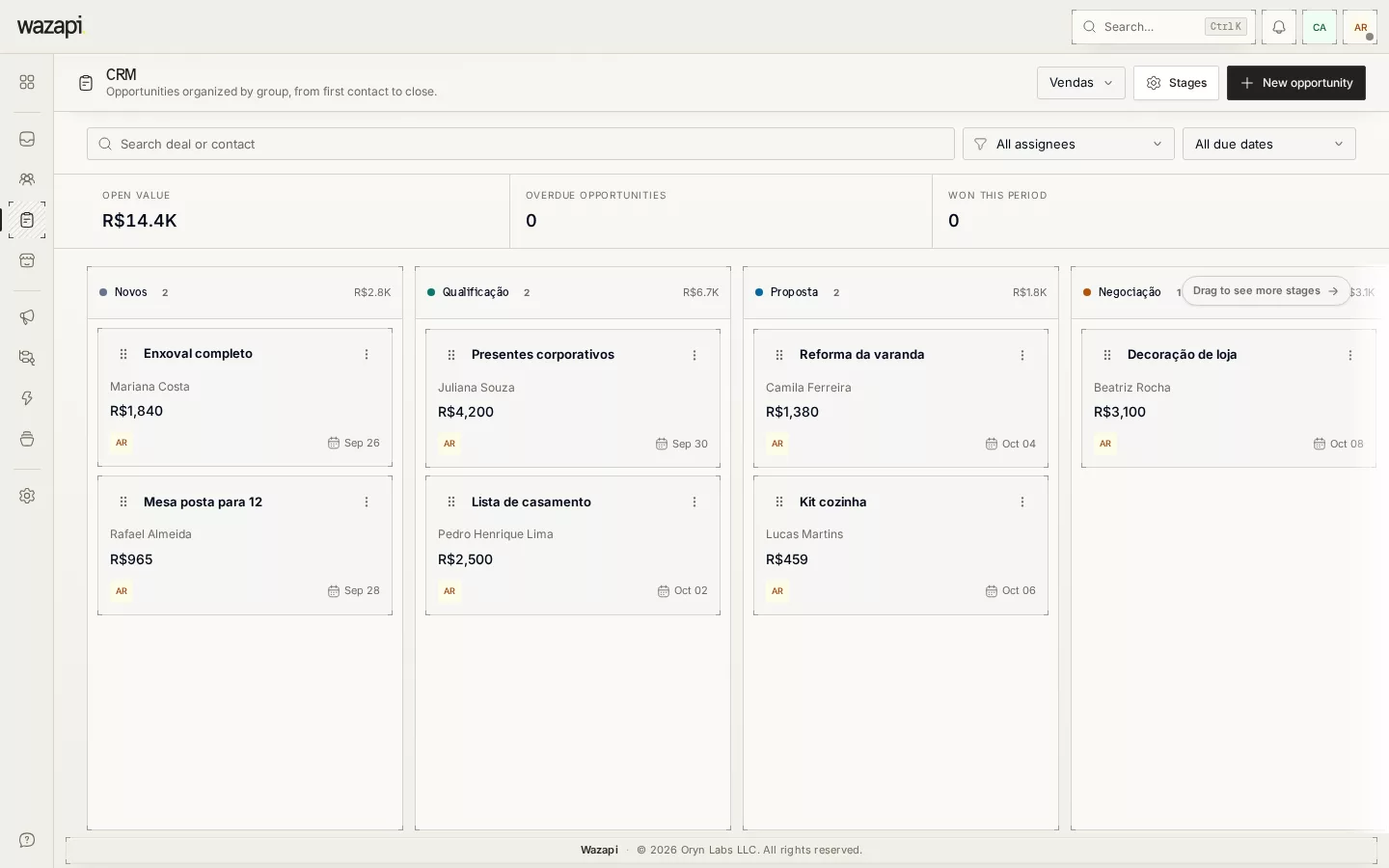
Each team has its own pipeline, with the stages of its sales process. Opportunities stay tied to the contact and the conversation, and can be created by your team, by flows, by the AI Agent or by a Store order.
Sales that happen in the chat and vanish in the chat
The negotiation happens on WhatsApp, but the pipeline lives in a spreadsheet or another tool nobody updates. At the end of the month, nobody knows how much is in negotiation or what was lost and why.
In Wazapi, the pipeline sits next to the inbox: whoever answers moves the opportunity without switching screens, and closing a conversation can ask for the sale outcome.
How to organize your sales
Set up the team pipeline
Each service group has its own board. Define the stages of your process, with Won and Lost at the end.
Create opportunities from conversations
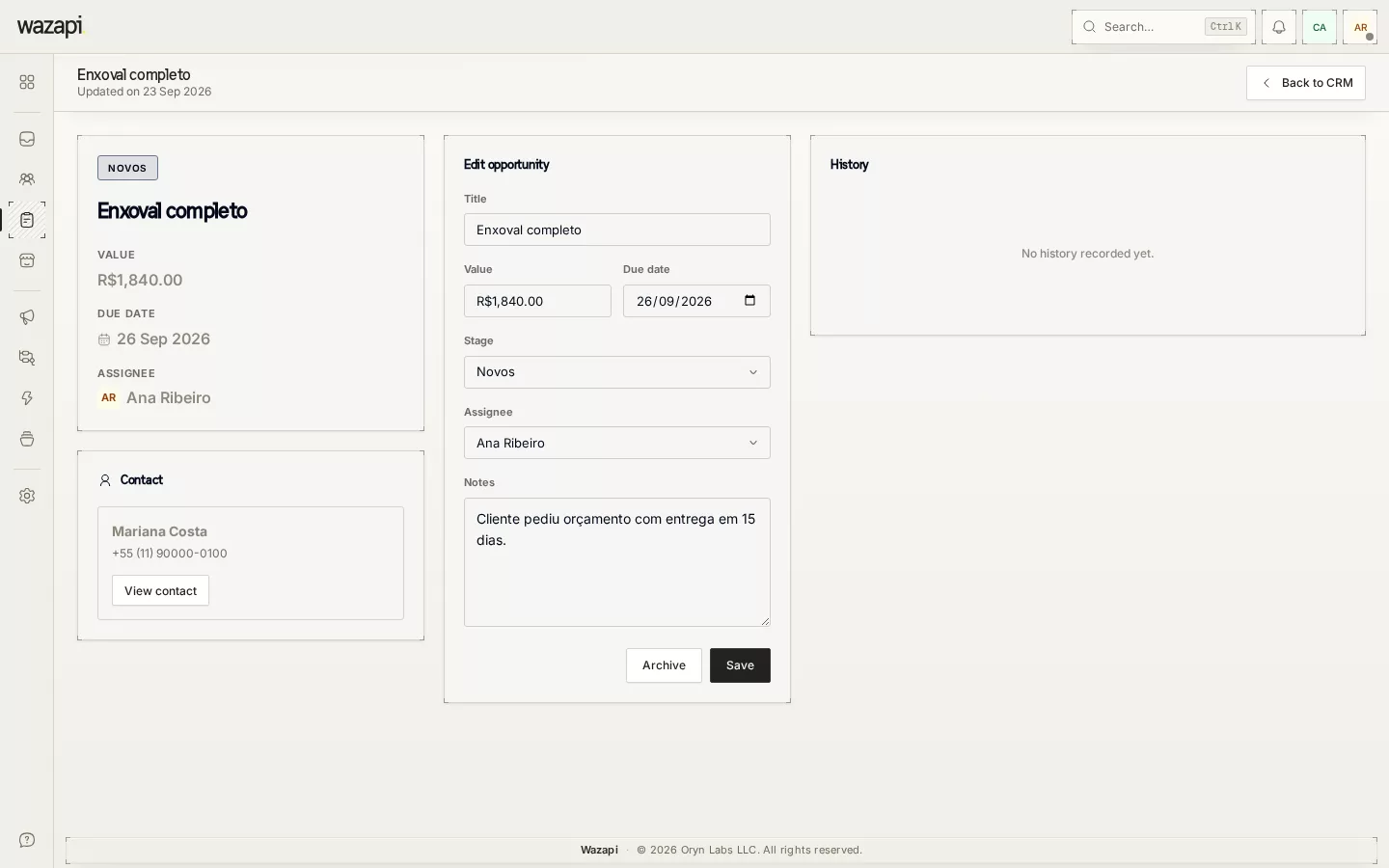
Create a card by hand, from a flow block, through the AI Agent or automatically for every Store order. Each opportunity has a value, an owner and a due date.
Close with the outcome recorded
Drag the card to Won or Lost, with the loss reason. When a conversation is closed, Wazapi can ask for the sale outcome.
What the CRM does
A pipeline per team
Each group sees and works on its own board. The owner sees them all, and the supervisor configures the group’s stages.
Tied to the conversation
From the card you open the conversation with the customer, and the contact profile shows their opportunities.
Created by automation
Flows create opportunities, the AI Agent moves them between stages and each Store order can become a card, with nobody typing a thing.
Sales recorded on close
Decide whether, when closing a conversation, your team must say if there was a sale. The outcome goes straight to the pipeline.
Real-time updates
When someone moves a card, their teammates’ board updates right away, without reloading.
What it looks like in Wazapi
Who it is for
- Sales teams that negotiate on WhatsApp and want to see their pipeline.
- Companies with more than one service team, each with its own process.
- Anyone who wants to know how much is in negotiation and why sales are lost.
Frequently asked questions
Does each team have its own pipeline?
Yes. The board is per service group, with its own stages. The company owner sees every board.
Can opportunities be created automatically?
Yes. A flow block creates the opportunity at a chosen stage, the AI Agent can move it and the Store can create a card for every order.
How do I record why a sale was lost?
When moving the card to Lost, your team enters the reason, which is saved on the opportunity.
Does the CRM work with the inbox?
Yes. From the card you open the conversation, and when closing a conversation Wazapi can ask for the sale outcome to update the pipeline.
Want to see it working for your business?
Free 14-day trial, no credit card required.